A schedule built around test day.
Daily assignments give studying a clear direction. If a day gets missed, the plan adjusts to the time that’s left.

An SAT plan that tells your student what to practice, when to take a full-length test, and when a tutor could help—with Frequency + Ease built in.
30 days of access
Use it on its own or alongside a crash course. Longer access options are available below.
Buy now SAT Practice Software™
We’ve analyzed past tests and counted how often each skill appears on the SAT. We combine those numbers with what we know about which skills are easier to improve. That’s Frequency + Ease. It’s built into the software, which uses your student’s results to decide what’s worth working on next.
As your student practices, the plan adjusts. It tells them what to work on next, when to take a full-length test to check their progress, and when a tutor could help them get unstuck.
Explore Frequency + EaseWhat you learn today helps shape what comes next.
Tell us when your student is taking the SAT and the score they’re aiming for. Their starting score helps the app understand where they are now and build a plan around where they want to go.
The software looks at how your student is doing and how much time is left before test day. It suggests when to take a full-length test or get help from a tutor. Tutoring is optional and costs extra.
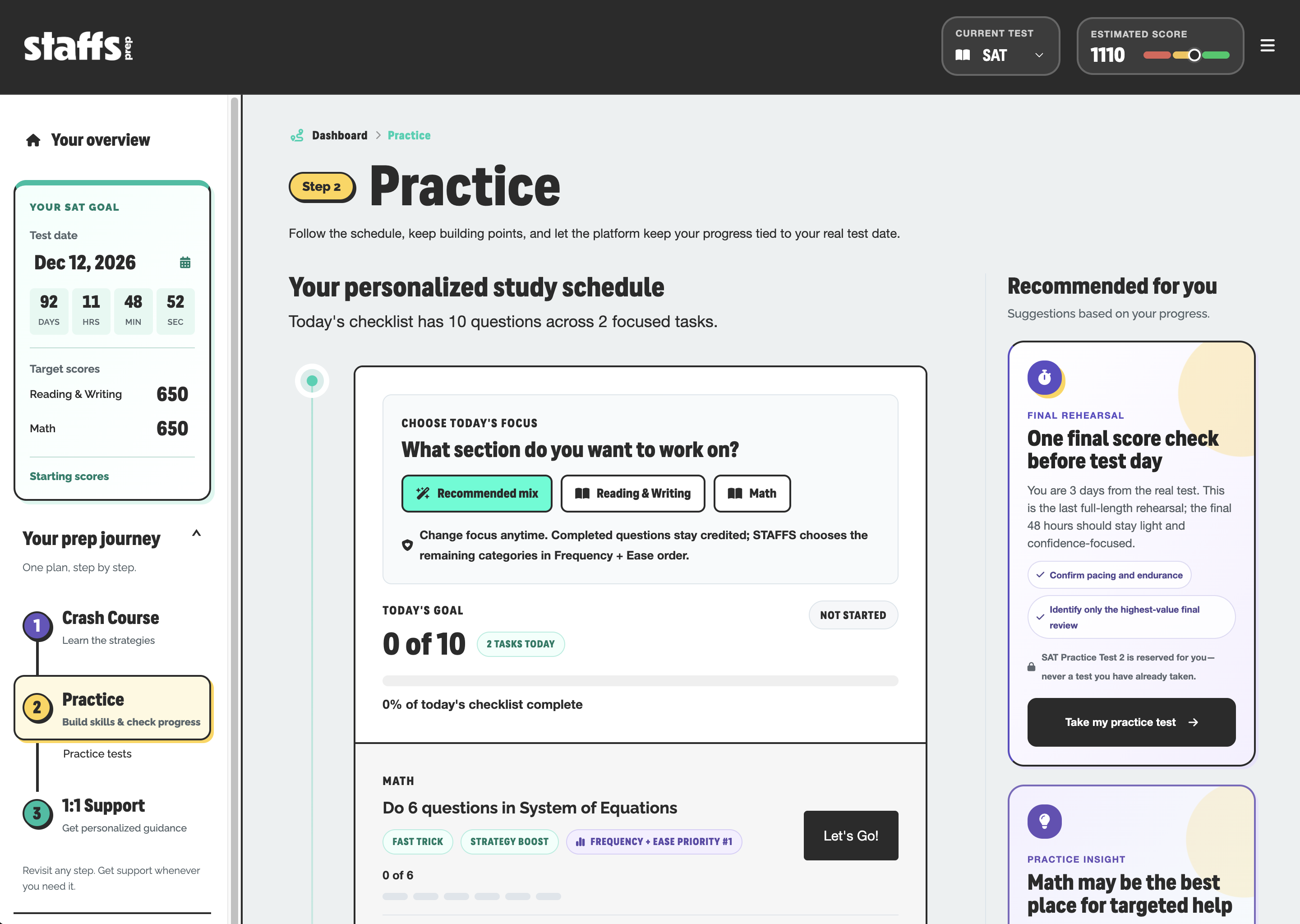
See how the software turns a study session into useful progress.
Daily assignments give studying a clear direction. If a day gets missed, the plan adjusts to the time that’s left.
Work on the particular skills that need attention, with questions that adapt as the software learns the student’s level.
Explanations go beyond the correct answer, teaching practical strategies students can bring to the next question.
If your total SAT score is outside this range, you should check out our 1:1 tutoring instead!
Learn the strategy. Put it into practice. Get personal support when it helps. Every step builds on the last, so your student knows what to do next.
Learn the rules, patterns, pacing, and Frequency + Ease framework before spending hours on practice.
Explore the Crash CourseTurn the student’s test date, score goal, and results into the highest-impact work to do next.
See how the software worksWe're here when extra help would make a difference. STAFFS tutors use any available practice data to tailor each session to the student's needs.
Explore 1:1 TutoringNo. Practice Software can be used on its own. The crash course teaches the approach in a focused class; the software organizes ongoing practice into a personalized daily plan. You can choose either product or use them together.
The software helps your student decide what to do next. Frequency + Ease is built in, so it looks for skills that need work, come up often, and are easier to improve. As your student practices, the plan adjusts. It also suggests when to take a full-length test or get help from a tutor. Tutoring is optional and costs extra.
There is no single daily time commitment for every student. The plan uses your student’s test date, score goal, and results to guide their work. The example day shown above illustrates how a plan can look; each student’s assignments and study time will differ.
The plan adjusts to the time remaining before test day, helping your student see what to work on next. Consistent practice and reviewing mistakes still matter.
Choose an access option that covers the time your student plans to prepare. You can compare the available durations and prices below. Score Guarantee eligibility depends on the access option, starting score, and required work. Read the current Score Guarantee and requirements before choosing.
Choose your access length, then complete your purchase right here.
Review your order and complete payment securely without leaving Staffs Prep.